• How to get access to courses

      To get access, you need to signup a make a user account. 

      The send an email to courses@atrc.net.pk to request enrollment into the courses you want access to. 

      Provide your name and userid which you created for enrollment in the email you send. 

Available courses


📘 Official Name of the Method:

Khawar Nehal’s Project Equity Method™ (PEM)

“Where Work, Capital, and Trust Earn Real Shares—Not Just Hours.”

PEM = Project Equity Method
A trademark-ready framework for fair, liquid, outcome-based value sharing in project-driven businesses—without employment, dilution, or ambiguity.


Why “Project Equity Method”?

  • “Project”: Emphasizes it’s scoped to one engagement, not a company.

  • “Equity”: Signals ownership and upside—not just payment for time.

  • “Method”: Positions it as a repeatable, teachable system—not a one-off idea.

  • Paired with your name, it becomes distinctive intellectual property you can license, teach, or certify others in.


Core Tenets of the Khawar Nehal’s Project Equity Method™ (PEM)

  1. Value = Work + Capital

    • Work measured in Work Units (WUs) = Hours × Role-Based Rate

    • Capital = Cash injected by clients or investors

  2. Shares = Transparent % of Net Project Value

    • Everyone sees their stake in real time

  3. Liquidity = Weekly/Monthly Share Redemption

    • Participants can sell vested shares for cash flow

  4. Investor Upside = Premium Buyouts + Profit Share

    • Investors profit by de-risking and believing in over-delivery

  5. No Jobs. No Salaries. Only Outcomes.


How to Introduce It (Elevator Pitch)

“I don’t pay salaries or charge hourly. Using Khawar Nehal’s Project Equity Method, we turn every IT project into a mini-venture. Engineers, referrers, and investors all earn real shares based on what they contribute—and they can cash out weekly if they choose. It’s fair, fast, and focused on results.”


Where to Use the Branding

  • Book title: Khawar Nehal’s Project Equity Method: Earn Ownership in Every Project

  • Seminars: “Master the PEM Framework for High-ROI Tech Projects”

  • Udemy course: “Project Equity Method (PEM) – Build a Liquid, Fair MSP”

  • Client proposals: “This engagement uses the PEM model—here’s your potential upside”

  • Investor pitch: “We deploy capital using Khawar Nehal’s PEM—proven in 50+ projects since 1994”


Optional Taglines

  • "From Hours to Ownership."

  • "Your Work. Your Shares. Your Liquidity."

  • "Fair Value. Real Shares. Zero Employment Overhead."


Course Title:

IT Project Management for Real-World Results: From Planning to ROI

Course Duration:

6–8 Hours (Self-Paced)
Level: Intermediate
Language: English (with Urdu support references for regional learners)


Course Description:

Go beyond theory. Learn how to lead IT projects that actually deliver business value—on time, on budget, and aligned with compliance, security, and strategic goals. Built on 30+ years of field experience in aviation, labs, exporters, and MSP environments.


Learning Objectives:

By the end of this course, learners will be able to:

  • Initiate and scope IT projects using real-world charters

  • Apply hybrid (Agile + Waterfall) methods in regulated industries

  • Manage risks, compliance (ISO, GDPR, CAA/FAA), and cybersecurity from Day 1

  • Optimize budgets and prevent costly scope creep

  • Use practical tools (Jira, Trello, MS Project, OpenProject) effectively

  • Conduct post-project reviews that drive continuous improvement

  • Align IT outcomes with business ROI and digital transformation goals


Module Breakdown:

Module 1: Why IT Projects Fail – And How to Avoid It

  • The #1 causes of failure (scope creep, poor stakeholder alignment, ignored compliance)

  • Case study: A failed lab automation project vs. a successful 5-year MSP rollout

Module 2: Project Initiation That Works

  • Writing a business-aligned project charter

  • Stakeholder mapping & communication planning

  • Defining success beyond “on time/on budget”

Module3: Choosing the Right Methodology

  • When to use Agile, Waterfall, or Hybrid

  • Adapting Scrum/Kanban for non-software teams (e.g., MROs, labs)

  • Managing change in regulated environments (aviation, ISO-certified labs)

Module 4: Risk, Security & Compliance Integration

  • Embedding cybersecurity & data privacy from Day 1

  • Aligning with standards: ISO 27001, GDPR, CAA, FAA, HIPAA

  • Creating a risk register that executives trust

Module 5: Budgeting & Resource Optimization

  • Estimating costs realistically (including hidden costs)

  • Avoiding overstaffing and tool sprawl

  • Cost vs. value trade-offs in MSP contexts

Module 6: Tools & Execution

  • Hands-on demos: Jira, Trello, MS Project, OpenProject, Nextcloud

  • AI-assisted tracking & reporting (practical, not hype)

  • Remote team coordination best practices

Module 7: Closing & Learning

  • Running blameless post-mortems

  • Measuring ROI: uptime, efficiency gains, compliance status

  • Building a reusable project playbook


Bonus Resources (Included):

✅ Project Charter Template (used with clients)
✅ Risk & Compliance Checklist (aviation/labs/exporters)
✅ Digital Readiness Assessment (5-page framework)
✅ Bilingual (English/Urdu) Quick Reference Guide
✅ ICT & Cybersecurity Health Check Worksheet


Target Audience:

  • IT Managers & Team Leads

  • MSP Owners & Technicians

  • Lab Managers, MROs, Export Compliance Officers

  • Business Owners overseeing tech investments

  • Aspiring PMP/CAPM/CSM candidates

SQDCP

Your Business Radar for Operational Excellence
S
afety
Q
Quality
D
Delivery
C
Cost
P
People

SQDCP is a proven, visual management framework used by leading operational teams worldwide to monitor, align, and improve business performance in real time. Originally rooted in lean manufacturing and aviation MRO environments, SQDCP has evolved into a universal “business radar” that keeps teams focused on what truly matters—every day.

Whether you're running an MSP, a compliance-driven lab, an aviation support unit, or a tech delivery team, SQDCP gives you a single-pane view of operational health across five critical dimensions.

What Each Letter Stands For

  • S – Safety: Are people, data, and assets protected? Includes physical safety, cybersecurity, and regulatory compliance (GDPR, HIPAA, CAA, etc.).
  • Q – Quality: Are outputs meeting standards? Covers service reliability, error rates, audit readiness, and documentation integrity.
  • D – Delivery: Are you on time? Measures project timelines, SLA adherence, system uptime, and responsiveness.
  • C – Cost: Are resources used efficiently? Tracks budget variance, tool sprawl, hidden labor, and ROI per initiative.
  • P – People: Is your team engaged and capable? Focuses on morale, skill gaps, retention, and collaborative culture.

Why SQDCP Works: It turns complex operations into simple, visual conversations. Daily or weekly SQDCP huddles help teams spot issues early, share ownership, and drive continuous improvement—without bureaucracy.

Ideal For

  • IT & MSP Operations Teams
  • Aviation MRO & Compliance Units
  • Lab & Export Documentation Teams
  • Project Managers & Team Leads
  • Business Owners Seeking Operational Clarity

Implementation Support

Through ATRC and Remote Support LLC, Khawar Nehal offers tailored coaching, templates, and workshop sessions to embed SQDCP into your workflows—aligned with your industry standards (ISO, FAA, EASA, GDPR, etc.).

Includes customizable dashboards, bilingual (English/Urdu) reference guides, and integration with your existing tools (Jira, Trello, MS Project, or spreadsheets).


Course Title:

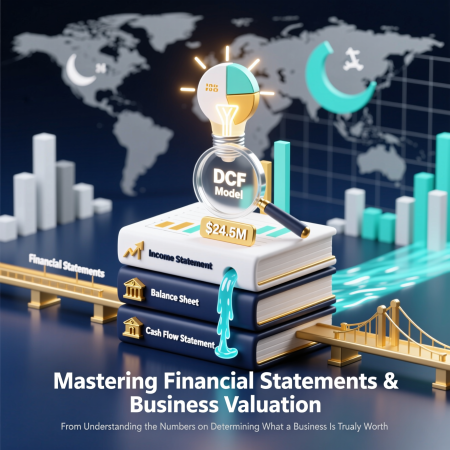
Mastering Financial Statements & Business Valuation
From Understanding the Numbers to Determining What a Business Is Truly Worth


Course Description:

Financial statements are the language of business—but too often, entrepreneurs, owners, and even professionals struggle to move beyond the surface numbers. This hands-on course transforms financial literacy into a strategic advantage, equipping you with the tools to read, analyze, adjust, and leverage financial data to make smarter decisions, negotiate with confidence, and accurately assess what a business is really worth.

Designed for business owners, investors, finance professionals, and future dealmakers, this course goes far beyond basic accounting. You’ll learn how to normalize financials for owner-driven distortions common in private and family-run firms, conduct a Quality of Earnings analysis, and apply multiple valuation methodologies—including comparable company analysis, precedent transactions, and discounted cash flow (DCF)—in real-world contexts.

Through practical exercises, real case studies (including examples from the U.S., Pakistan, and other emerging markets), and step-by-step modeling, you’ll gain the ability to:

  • Decode income statements, balance sheets, and cash flow statements—even when they’re messy or unaudited

  • Identify red flags and hidden value in financial reports

  • Build a defensible valuation range for any small or mid-sized business

  • Prepare your company for sale, investment, or succession with valuation in mind

Whether you're planning to sell your business, raise capital, evaluate an acquisition, or simply gain control of your financial narrative, this course gives you the clarity and confidence to speak the language of value.


Key Learning Outcomes:

By the end of this course, you will be able to:

  • Interpret the interplay between the three core financial statements

  • Adjust EBITDA and cash flow for non-recurring or discretionary items

  • Select and apply the right valuation method for your context

  • Build a simple but robust DCF and multiples-based valuation model

  • Communicate valuation assumptions and conclusions persuasively to investors, buyers, or advisors


Who Should Enroll?

  • Founders and owners of SMEs or family businesses

  • Entrepreneurs exploring acquisitions or fundraising

  • Angel investors, private equity associates, and M&A advisors

  • CFOs, controllers, and finance professionals in private companies

  • MBA students and professionals transitioning into finance or investing roles


Course Format:

  • Duration: 6–8 weeks (live online or in-person)

  • Includes: Interactive lectures, Excel modeling labs, real-world case studies, and a capstone project (e.g., valuing a sample business or your own company)

  • Prerequisites: Basic familiarity with business concepts; no advanced finance or accounting background required


“You can’t manage what you don’t measure—and you can’t sell what you can’t value.”


Beyond the Buyout: Leveraged & Management Buyouts as Tools for Business Transformation


Course Description:

Leveraged Buyouts (LBOs) and Management Buyouts (MBOs) are far more than financial engineering exercises—they are powerful strategic tools for revitalizing businesses, enabling smooth ownership transitions, and unlocking hidden value. This intensive course demystifies the mechanics, risks, and transformative potential of buyout transactions, with a focus on real-world application for entrepreneurs, family business owners, investors, and corporate leaders.

Through a blend of financial modeling, case studies, and strategic frameworks, you’ll learn how to evaluate whether an LBO or MBO is the right path for a business, structure a viable deal, secure financing, and—most critically—drive operational improvement post-acquisition. The course moves beyond textbook theory to address the human, cultural, and governance challenges unique to ownership transitions, especially in family-run or founder-led firms.

You’ll analyze iconic successes (like Heinz and Dell) and cautionary failures (like Toys “R” Us), and explore emerging models such as search fund acquisitions and cross-border buyouts—particularly relevant for businesses operating across jurisdictions like the U.S. and Pakistan.

Whether you’re a business owner planning your exit, a manager considering an MBO, or an investor seeking value-creation opportunities, this course equips you with the practical toolkit to turn a buyout into a catalyst for sustainable growth.


Key Learning Outcomes:

By the end of this course, participants will be able to:

  • Distinguish between LBOs, MBOs, MBIs, recapitalizations, and alternative transition models

  • Assess a company’s suitability for a leveraged transaction using financial and operational criteria

  • Structure a realistic capital stack (debt + equity) and understand key financing terms

  • Navigate legal, tax, and governance considerations across jurisdictions

  • Design and execute a 100-day post-buyout integration and value-creation plan

  • Avoid common pitfalls that lead to buyout failure

  • Evaluate ROI drivers and exit readiness in a 3–7 year horizon


Who Should Enroll?

  • Founders and owners of SMEs or family businesses planning succession

  • General managers or executives exploring an MBO

  • Private equity associates, angel investors, and M&A advisors

  • CFOs and finance professionals in mid-market companies

  • MBA students and entrepreneurs interested in acquisition entrepreneurship


Format & Duration:

  • Modality: In-person or online (live + on-demand)

  • Duration: 6–8 weeks (2 sessions/week, 2–3 hours each)

  • Includes: Case studies, financial model walkthroughs, guest speakers (PE investors, MBO entrepreneurs), and a capstone project (e.g., designing an MBO proposal for a real or simulated business)


Prerequisites:

Basic understanding of financial statements and business valuation. No prior M&A experience required—concepts are built from the ground up.


"The best buyouts don’t just change ownership—they transform businesses."


📘 Official Name of the Method:

Khawar Nehal’s Project Equity Method™ (PEM)

“Where Work, Capital, and Trust Earn Real Shares—Not Just Hours.”

PEM = Project Equity Method
A trademark-ready framework for fair, liquid, outcome-based value sharing in project-driven businesses—without employment, dilution, or ambiguity.


Why “Project Equity Method”?

  • “Project”: Emphasizes it’s scoped to one engagement, not a company.

  • “Equity”: Signals ownership and upside—not just payment for time.

  • “Method”: Positions it as a repeatable, teachable system—not a one-off idea.

  • Paired with your name, it becomes distinctive intellectual property you can license, teach, or certify others in.


Core Tenets of the Khawar Nehal’s Project Equity Method™ (PEM)

  1. Value = Work + Capital

    • Work measured in Work Units (WUs) = Hours × Role-Based Rate

    • Capital = Cash injected by clients or investors

  2. Shares = Transparent % of Net Project Value

    • Everyone sees their stake in real time

  3. Liquidity = Weekly/Monthly Share Redemption

    • Participants can sell vested shares for cash flow

  4. Investor Upside = Premium Buyouts + Profit Share

    • Investors profit by de-risking and believing in over-delivery

  5. No Jobs. No Salaries. Only Outcomes.


How to Introduce It (Elevator Pitch)

“I don’t pay salaries or charge hourly. Using Khawar Nehal’s Project Equity Method, we turn every IT project into a mini-venture. Engineers, referrers, and investors all earn real shares based on what they contribute—and they can cash out weekly if they choose. It’s fair, fast, and focused on results.”


Where to Use the Branding

  • Book title: Khawar Nehal’s Project Equity Method: Earn Ownership in Every Project

  • Seminars: “Master the PEM Framework for High-ROI Tech Projects”

  • Udemy course: “Project Equity Method (PEM) – Build a Liquid, Fair MSP”

  • Client proposals: “This engagement uses the PEM model—here’s your potential upside”

  • Investor pitch: “We deploy capital using Khawar Nehal’s PEM—proven in 50+ projects since 1994”


Optional Taglines

  • "From Hours to Ownership."

  • "Your Work. Your Shares. Your Liquidity."

  • "Fair Value. Real Shares. Zero Employment Overhead."


Canva Mastery Course: Comprehensive Outline

Chapter 1: Introduction to Canva

1.1 What is Canva? Overview and Use Cases
1.2 Canva’s Target Audience: Individuals, Teams, and Enterprises
1.3 Canva Free vs. Canva Pro vs. Canva for Education vs. Canva for Enterprise
1.4 Creating and Setting Up a Canva Account
1.5 Navigating the Canva Interface: Homepage, Dashboard, Sidebar
1.6 Understanding the Editor Workspace: Toolbar, Canvas, Properties Panel
1.7 Accessing Help Resources and Canva Design School

Chapter 2: Design Fundamentals

2.1 The Principles of Visual Design (Balance, Contrast, Emphasis, Movement, Unity)
2.2 Layout and Composition Techniques (Rule of Thirds, Grid Systems, White Space)
2.3 Color Theory: Primary/Secondary Colors, Complementary Schemes, Psychology of Color
2.4 Typography Basics: Serif vs. Sans Serif, Font Pairing, Readability Guidelines
2.5 Visual Hierarchy: Guiding the Viewer’s Eye
2.6 Accessibility in Design: Color Contrast, Alt Text, Inclusive Practices

Chapter 3: Working with Text

3.1 Adding and Editing Text Elements
3.2 Text Styles: Headings, Subheadings, Body, Captions
3.3 Custom Fonts: Uploading Brand Fonts (Pro Feature)
3.4 Text Effects: Shadow, Curve, Spacing, Transparency
3.5 Using Placeholder Text and Auto-Replace
3.6 Keyboard Shortcuts for Text Editing

Chapter 4: Media Management

4.1 Uploading Images, Videos, Audio, and Brand Assets
4.2 Organizing Files with Folders and Search Tags
4.3 Using Canva’s Free and Premium Media Library
4.4 Filtering Media by Type, License, and Color
4.5 Understanding Image Licenses and Usage Rights
4.6 Managing Storage Limits and Asset Cleanup

Chapter 5: Elements, Graphics, and Illustrations

5.1 Using Built-in Elements: Shapes, Lines, Arrows, Icons
5.2 Working with Frames: Cropping, Masking, and Dynamic Placement
5.3 Customizing Graphics: Resize, Rotate, Flip, Duplicate
5.4 Using Illustrations and Stickers
5.5 Creating Custom Icons or Simple Graphics from Shapes
5.6 Animating Elements in Static and Video Designs

Chapter 6: Creating Common Design Types

6.1 Social Media Graphics: Posts, Stories, Reels Covers (Platform-Specific Sizes)
6.2 Marketing Materials: Flyers, Posters, Banners, Billboards
6.3 Business Documents: Resumes, Brochures, Business Cards
6.4 Presentations: Slides, Templates, Speaker Notes, Brand Consistency
6.5 Infographics: Charts, Timelines, Process Flows
6.6 Documents and PDFs: Reports, E-books, Worksheets
6.7 Email Headers and Newsletters
6.8 Print vs. Digital Design Considerations

Chapter 7: Branding in Canva

7.1 Setting Up a Brand Kit (Free and Pro Differences)
7.2 Defining Brand Colors, Fonts, and Logo
7.3 Saving and Applying Brand Templates
7.4 Creating Consistent Visual Identity Across Projects
7.5 Sharing Brand Kits with Team Members
7.6 Brand Controls and Approval Workflows (Enterprise Feature)

Chapter 8: Video and Animation

8.1 Creating and Editing Short-form Videos in Canva
8.2 Adding and Trimming Video Clips
8.3 Overlaying Text, Graphics, and Transitions
8.4 Using Built-in Video Templates
8.5 Applying Page Animations and Element Animations
8.6 Adding Background Music and Voiceovers
8.7 Exporting Video for Social Platforms (MP4, GIF)

Chapter 9: Collaboration and Team Features

9.1 Sharing Designs: View, Comment, or Edit Permissions
9.2 Real-Time Co-Editing and Comment Threads
9.3 Using Teams: Creating, Managing, and Inviting Members
9.4 Team Folders and Content Organization
9.5 Brand Templates for Team Use
9.6 Version History and Restore Options
9.7 Integrating with Slack, Google Drive, and Microsoft Teams

Chapter 10: Advanced Canva Pro & Enterprise Features

10.1 Background Remover Tool
10.2 Magic Edit (AI-Powered Image Editing)
10.3 Magic Resize: Instant Format Conversion
10.4 Content Planner and Social Media Scheduler
10.5 Bulk Create: Personalized Designs from CSV/Spreadsheet Data
10.6 Brand Controls and Template Locking (Enterprise)
10.7 Workflow Automation with Apps and Integrations
10.8 Magic Studio (AI Tools Overview: Text-to-Image, Write, etc.)

Chapter 11: Exporting, Publishing, and Distribution

11.1 Export Formats: PNG, JPG, PDF (Print & Standard), MP4, GIF, SVG (Pro)
11.2 Print Settings: Bleed, CMYK vs. RGB, DPI Considerations
11.3 Publishing Directly to Social Media Platforms
11.4 Embedding Designs on Websites or Blogs
11.5 Creating Shareable Links and Password Protection
11.6 Downloading High-Resolution Assets for Client Delivery

Chapter 12: Best Practices, Tips, and Troubleshooting

12.1 Common Design Mistakes and How to Avoid Them
12.2 Time-Saving Shortcuts and Hidden Features
12.3 Managing Large Projects and Multi-Page Documents
12.4 File Recovery and Account Security
12.5 Staying Updated with New Canva Features
12.6 Building a Personal Design Portfolio in Canva

Chapter 13: Capstone Project & Certification Prep

13.1 Defining a Real-World Project Brief (e.g., Brand Campaign, Pitch Deck)
13.2 Applying All Learned Skills: Layout, Branding, Media, Export
13.3 Peer Review Checklist and Self-Assessment Rubric
13.4 Preparing for Canva Certification (if offered)
13.5 Publishing Final Work and Documenting the Process